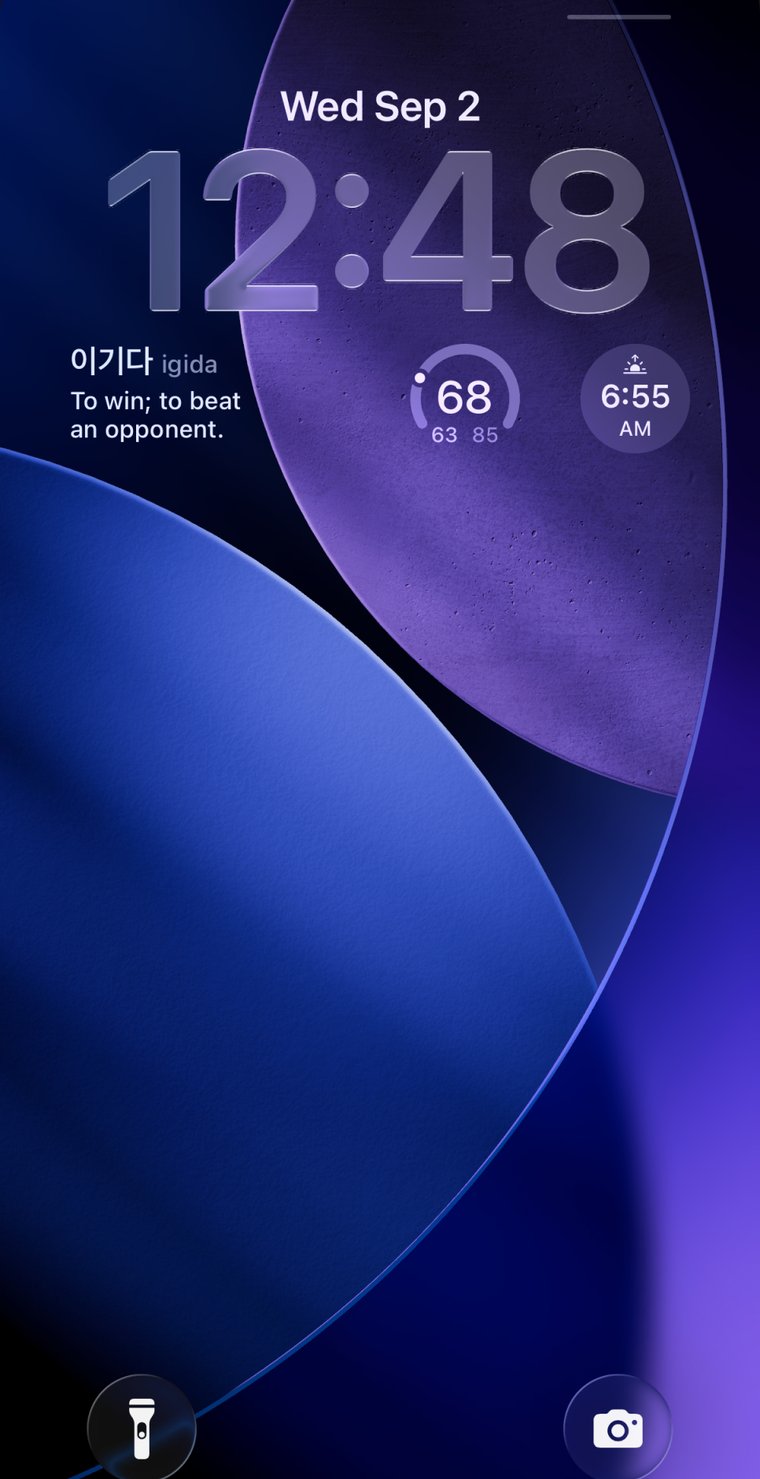
iPhone lock screen widget
A new word, every time you look.
Your lock screen already gets fifty glances a day. Onymera puts a word worth knowing on it, and changes it about once a minute — so the language finds you, instead of waiting for you to find time for it.
Free on the App Store, all nine languages included. iPhone, iOS 17 or later. One optional $2.99 unlock, no subscription.
The idea
Four things that make a word stick.
None of them is effort. That is the point — the vocabulary you keep is the vocabulary you met often enough, in enough real sentences, without ever sitting down to study it.
-
1
Meet it where you already are
Not an app you remember to open. A screen you check without deciding to.
-
2
Meet it often
A new word about once a minute. Repetition does the work that willpower usually gets blamed for.
-
3
Meet it in a sentence
A definition tells you what a word means. A sentence shows you what it is for — which is the half you actually remember.
-
4
Meet only words worth meeting
Every list follows what a learner is actually tested on — the curriculum levels each language teaches by — and grows one level at a time, with nothing padded in to make a number look bigger.
Six entries, unedited
This is what arrives.
Every entry is held to the same standard: a definition under 140 characters, and a sentence you could work the meaning out from even if the definition were missing. Judge it on these.
English
petrichor
/ˈpetrɪkɔːr/
The earthy smell after rain falls on dry ground.
Petrichor came up off the sidewalk before the first drops had properly landed.
Korean
눈물
nunmul
Tears.
영화를 보다가 눈물이 났어요.
Tears came while I was watching the film.
Japanese
夕方
ゆうがた · yūgata
Early evening, around sunset.
夕方に買い物に行きます。
I go shopping in the early evening.
Chinese
您
nín
You — the polite form, for elders and customers.
您好,请坐。
Hello, please have a seat.
Spanish
mañana
/maˈɲana/
Morning; tomorrow.
Te llamo mañana por la mañana.
I'll call you tomorrow morning.
Portuguese
saudade
/sawˈdadʒi/
A longing for someone or something absent; missing them.
Estou com saudade de casa.
I miss home.
It moves on its own
The widget advances about once a minute — the fastest a lock screen widget can change, and it is the free setting. You keep nothing running and remember nothing.
Written for a learner, not a dictionary
The word lists are built level by level against each language's curriculum — the government list where one exists, the published exam levels where it doesn't. Definitions and sentences are written for this app against a fixed standard, and a validator holds every entry to it.
It works on a plane
A word list downloads once, the first time you pick its language — a few hundred kilobytes — and from then on it lives on your phone. It is the same on the underground, abroad, and in aeroplane mode.
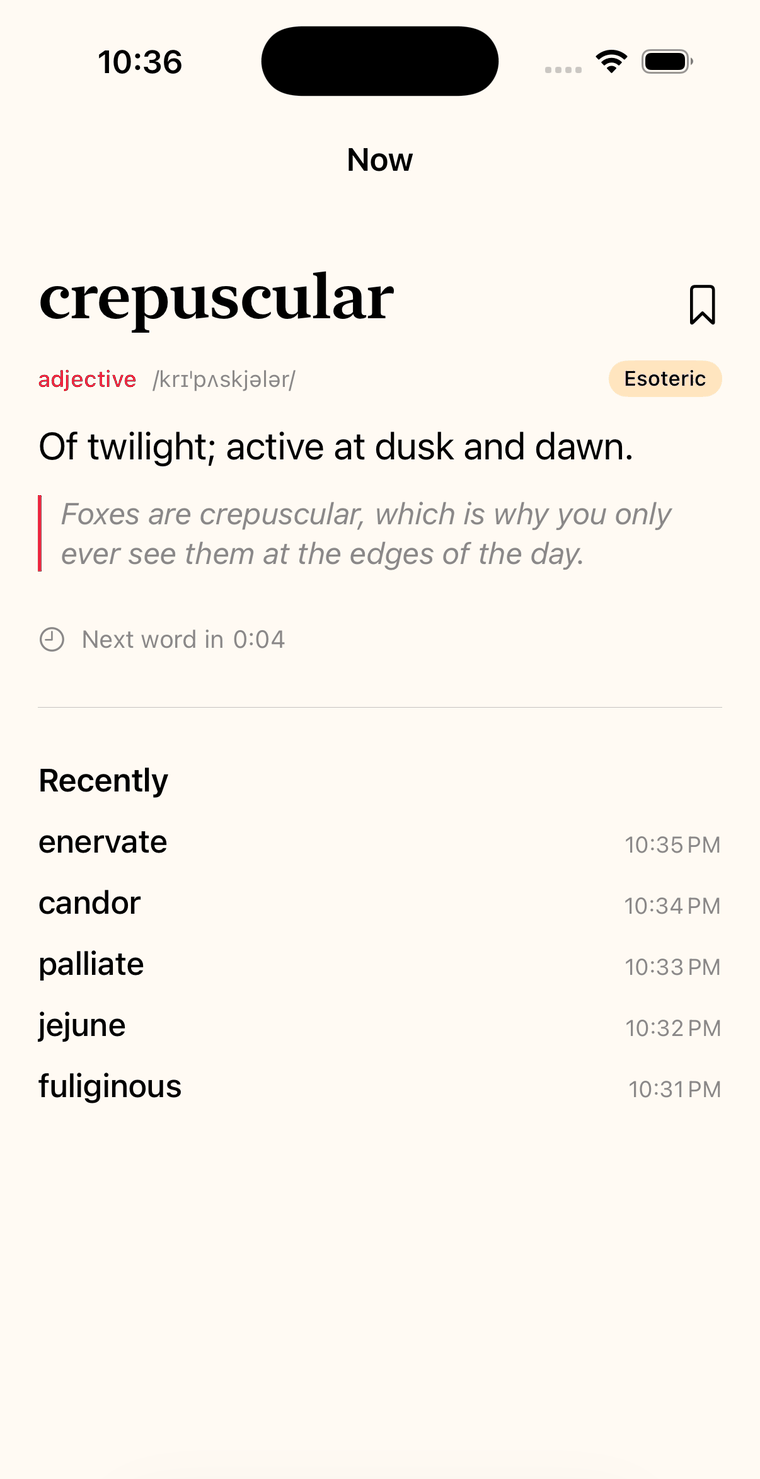
The word
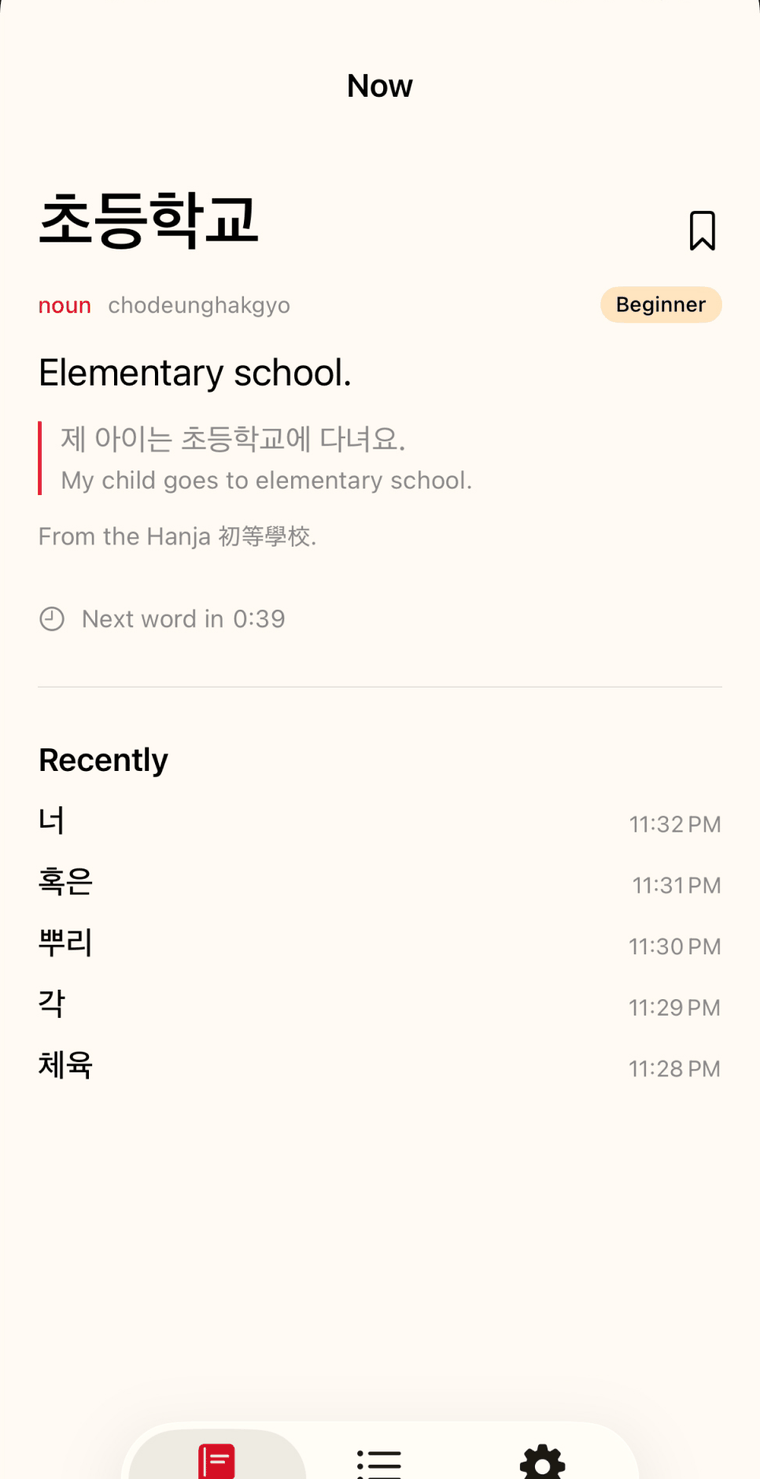
Tap it and the whole word opens up.
How it sounds, what it means, and the sentence that shows it working. Where the word came from, when that is worth knowing — 초등학교 is 初等學校, and seeing the characters is half the lesson.
The last five words sit underneath, so one you only half caught on the lock screen is still there when you go looking for it.
The library
Everything you have seen, and everything you haven't.
Your history is complete whether or not you ever opened the app — every word it showed you is there to scroll back through. Keep the ones worth keeping, and search the whole list by the word, by how it sounds, or by what it means in English, because a half-remembered word can come back to you from any of the three. Accents and tildes are optional: "manana" finds mañana, "coracao" finds coração.
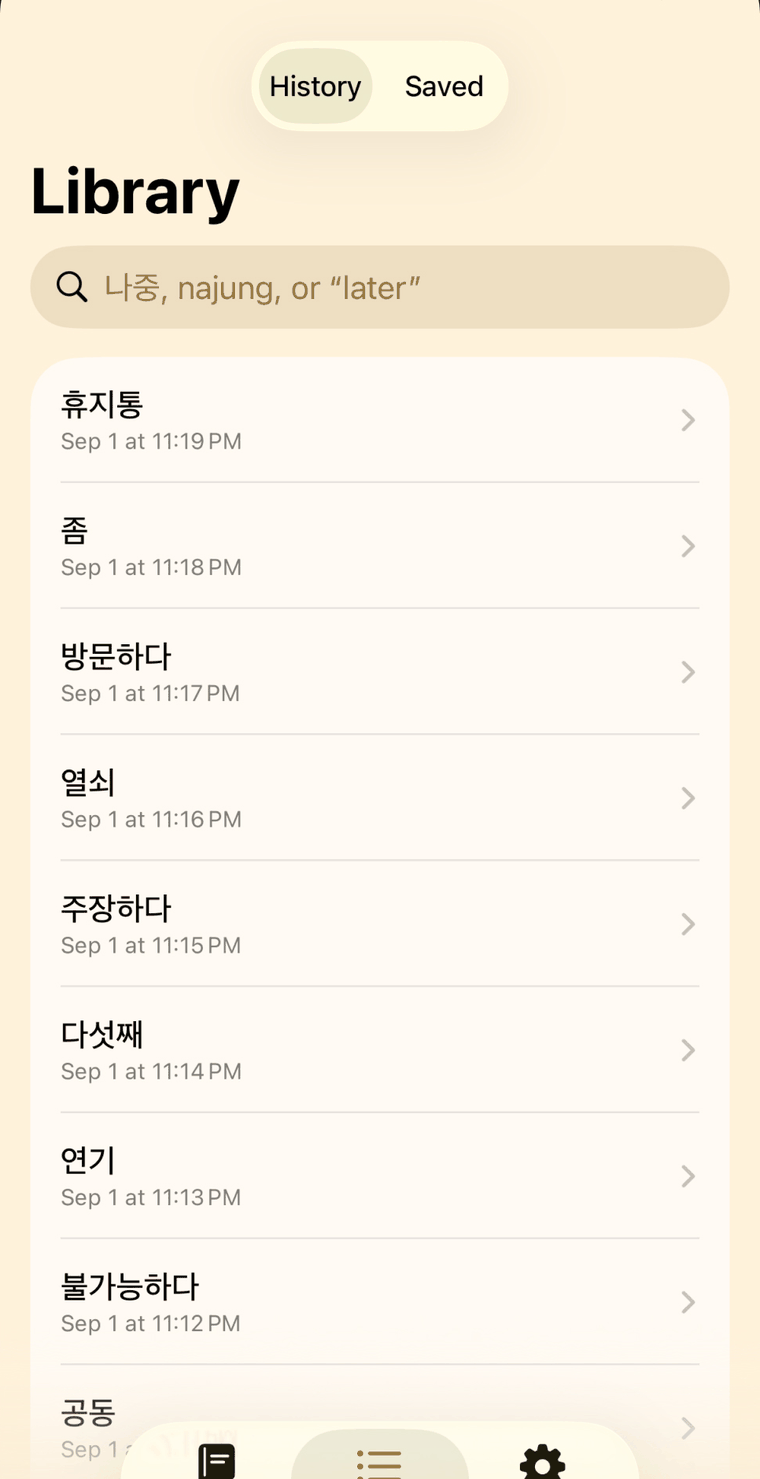
Nine word lists
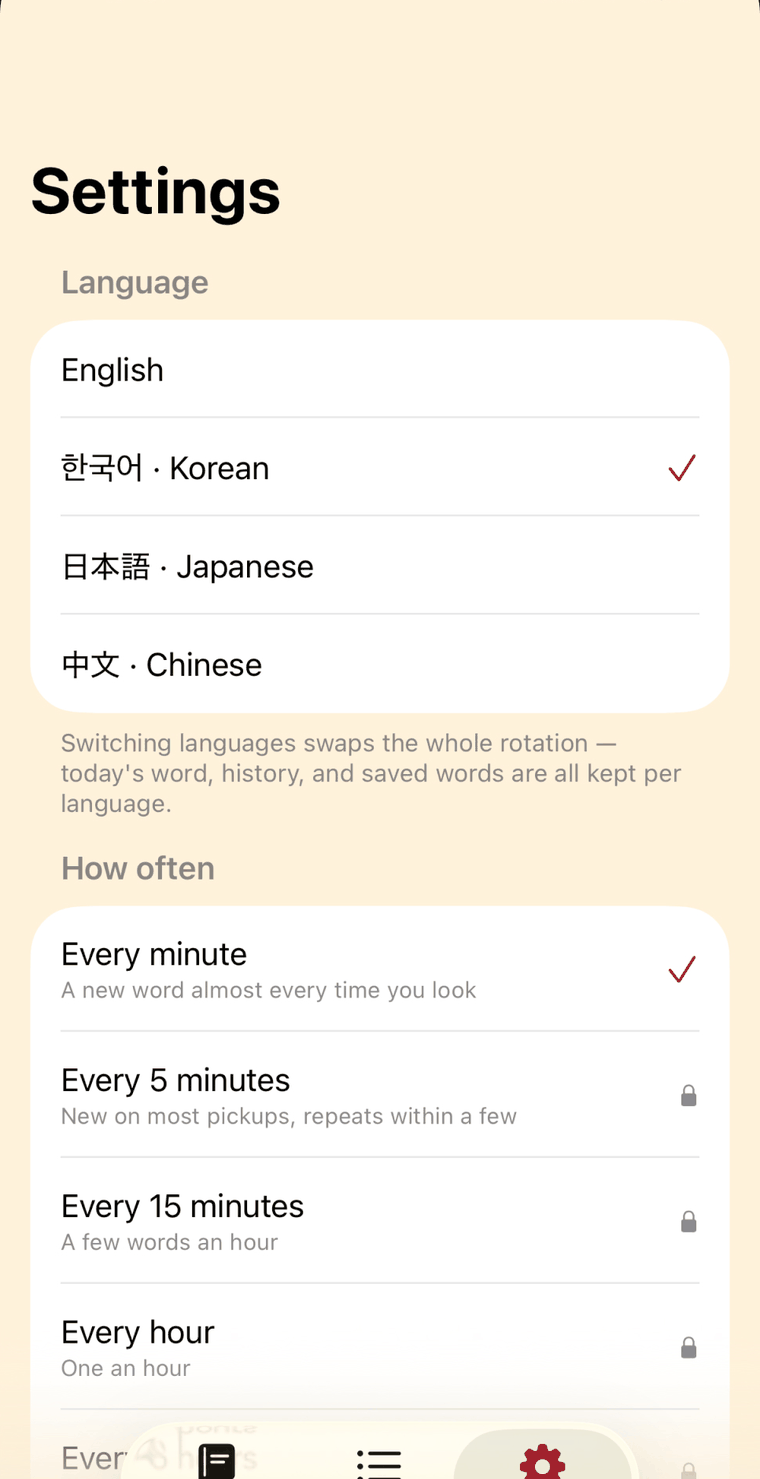
Pick a language and the whole rotation follows.
Switching language swaps the app and the widget together, and keeps your history and saved words separately for each one. Every list is free, and new words arrive as updates to the list, not to the app.
-
Korean
7,895 words
The National Institute of Korean Language's learner vocabulary list, all three stages complete, plus the everyday words it leaves out and the vocabulary of the news, courts and economy beyond it, with Hanja origins where they help.
-
Japanese
6,293 words
JLPT N5 and N4, most of N3, and the start of N2. Every entry carries its kana reading and romaji.
-
Chinese
7,514 words
HSK 1 to 5, HSK 6 well under way, and the start of the advanced 7–9 band, with pinyin. Simplified characters.
-
Spanish
3,981 words
CEFR A1 to B1, and the start of B2, against the Instituto Cervantes' reference levels, with IPA so you know where the stress falls.
-
Portuguese
3,888 words
CEFR A1 to B1, and the start of B2. Brazilian: ônibus, trem, celular, você.
-
French
3,917 words
CEFR A1 to B1, and the start of B2, against the Council of Europe's reference levels, with IPA for everything the spelling hides.
-
German
3,952 words
CEFR A1 to B1 against the Goethe-Institut's own examination word lists, and the start of B2.
-
Italian
3,863 words
CEFR A1 to B1, and the start of B2, against the Profilo della lingua italiana, with the open and closed vowels marked.
-
English
6,178 words
A curated list across four tiers, from everyday to genuinely rare.
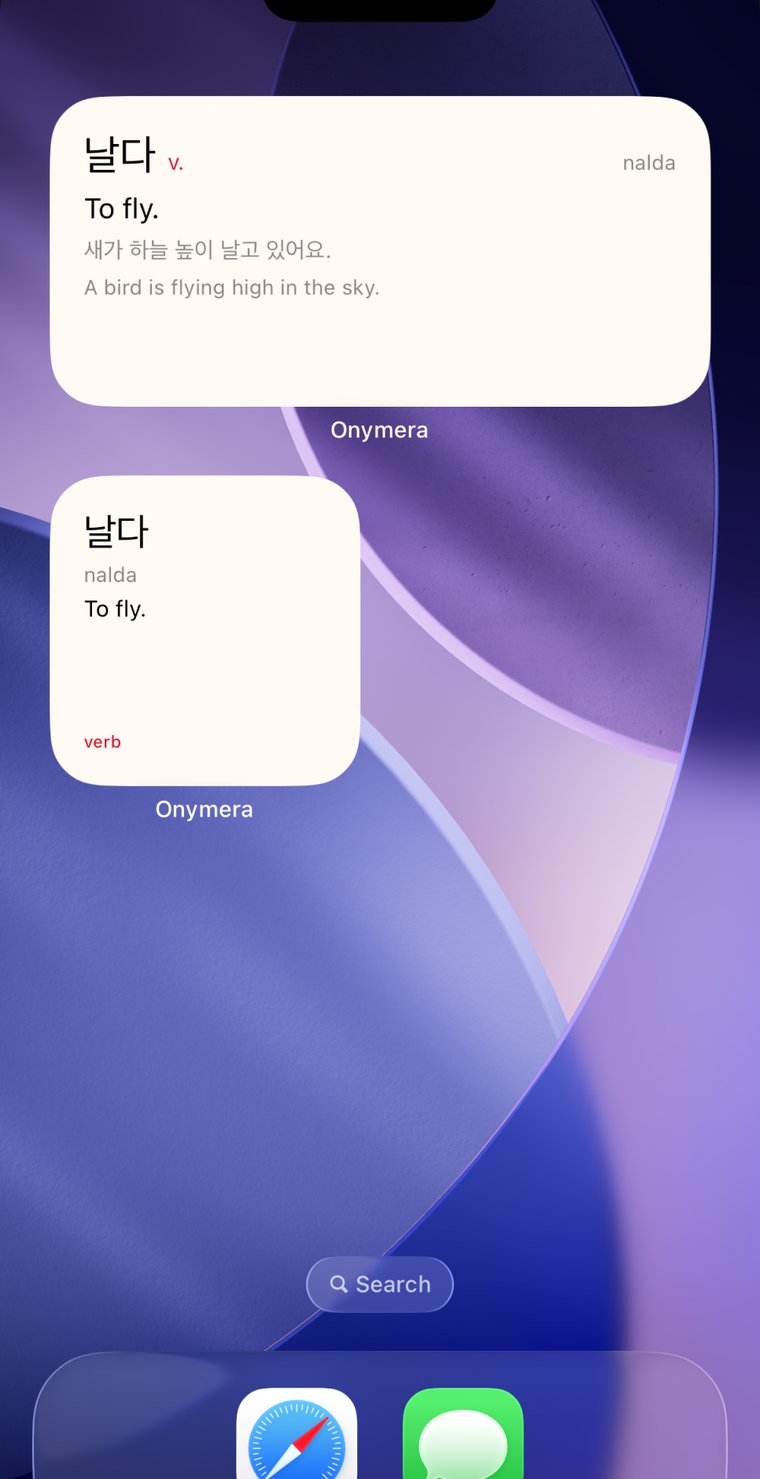
Home screen too
Two sizes, depending on how much you want.
The small widget is a glance — the word and its meaning. The medium one brings the example sentence with it. Both sit alongside the lock screen widget, and both are free.
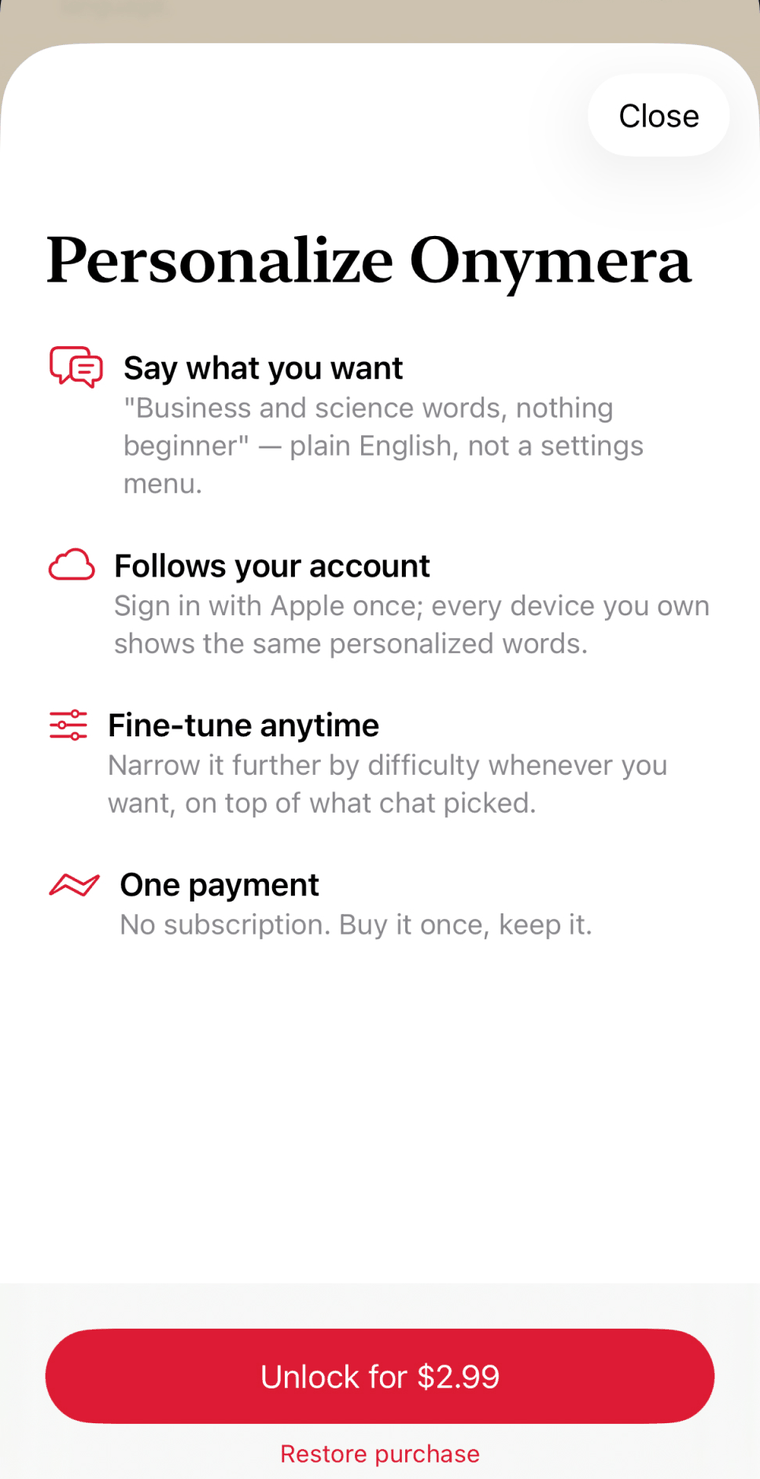
Optional · one payment · beta
Tell it what you want to see, in your own words.
No settings menu to work through. Describe the words you are after — "business and science words, nothing beginner" — and the rotation narrows to match, then narrows further by difficulty whenever you like. Sign in with Apple once and the same selection follows every device you own.
It also unlocks the pace. Free already runs at the fastest setting there is; what you buy is the choice to slow it down — every fifteen minutes, hourly, or one word a day to actually sit with.
$2.99 once. No subscription, ever.
The free app is a complete product on its own. This only adds to it.
Privacy
The free app has no account, and sends nothing about you.
Not "we anonymise it." Not "we only collect what we need." There is no account, no analytics SDK, no advertising SDK and no crash reporter. The only thing the free app ever fetches is a word list — an anonymous download of a static file, when you pick a language and again when that list has been updated — and nothing about you goes with it. Your settings, your history and your saved words live on your device and are gone if you delete it.
Personalization is the one part that sends anything anywhere, and only if you buy it and sign in: an opaque Apple identifier and the sentences you type. Onymera asks Apple for no name and no email address, so we never receive them. Deleting your account is one tap in Settings, it is immediate, and it takes everything with it.
Questions
Before you ask
Do I need an account?
No. The free app has no account and no sign-in at all. Signing in with Apple is only ever asked for after you buy personalization, because that is the part that syncs between your devices.
Is it a subscription?
No. The app is free, and personalization is a single $2.99 purchase you keep. There is nothing recurring anywhere in it.
My widget has shown the same word for a while.
iOS decides when a lock screen widget may redraw, and it never redraws while the screen is off — so a new word waits for your next look rather than appearing on a timer. If it seems genuinely stuck, open the app once; that hands iOS a fresh set of upcoming words.
How do I add the widget?
Press and hold your lock screen, tap Customize, then Add Widgets, and pick Onymera. The home screen widgets are added the same way from the home screen.
I found a definition that's wrong.
Please tell us — this is the single most useful thing you can send. Open the word and tap ⋯ → Report a problem. It writes the message for you and shows you exactly what it contains before anything is sent.
Does it work offline?
Yes, once a language is on your phone. Picking a language downloads its word list — a few hundred kilobytes, one time — and from then on the widget, the rotation and the library work with no signal at all. Every language is free to download.
Is there an Android or iPad version?
Not yet. Onymera is iPhone only, on iOS 17 or later.